Designing for BSCI: Versatile Controller
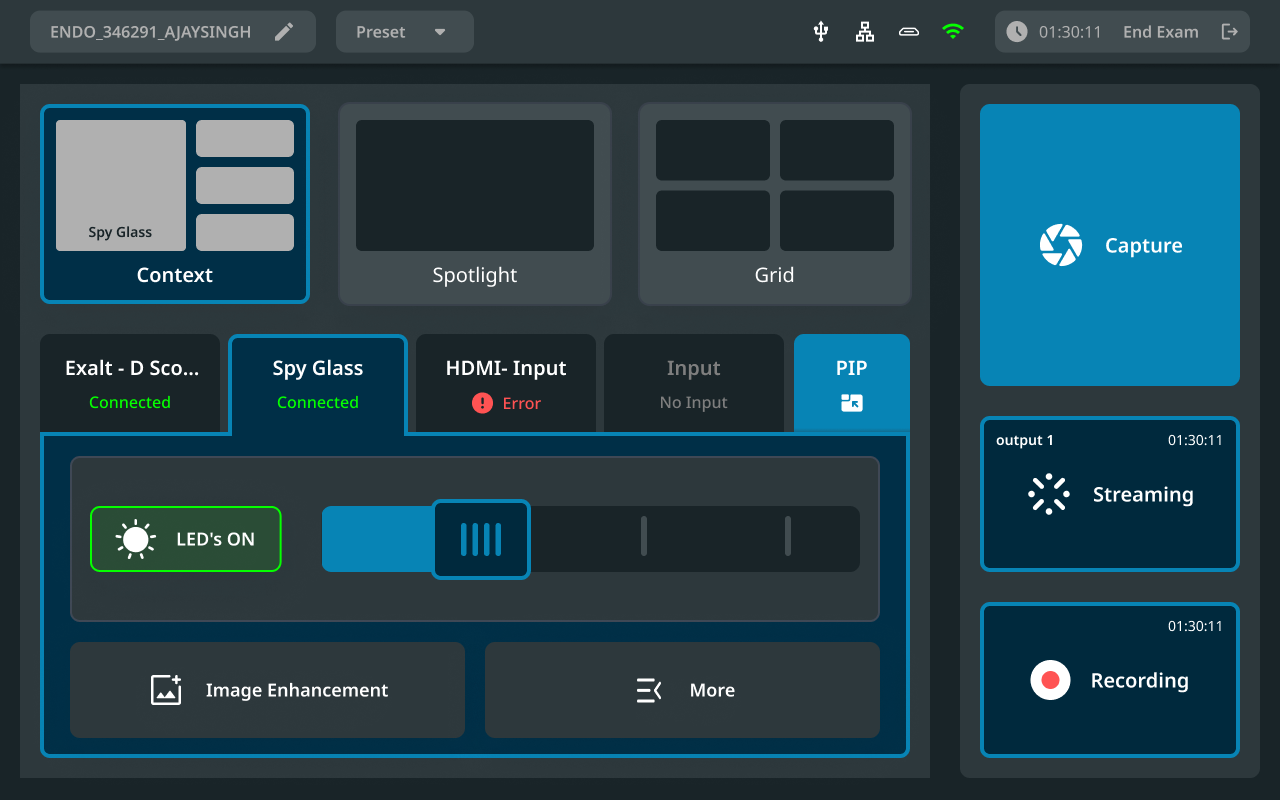
Versatile controller is a next-generation endoscopic imaging platform that will be able to operate multiple different types of single-use disposable (SUD) endoscopes developed at a renowned US based medical technology company. The controller is responsible for converting the endoscope's camera signal to a digital image and performing processing functions required to produce a quality video output.
CHALLENGE
To design the interface based on medical guidelines, user requirements and conduct usability testing with doctors, nurses & technicians in future.
ROLE
UX Designer
Ideation, Visual Design, Prototyping
TEAM
Rohan, Ashlesha, Anoushka & Juhi
TIMELINE
May 2024 - June 2024
Background
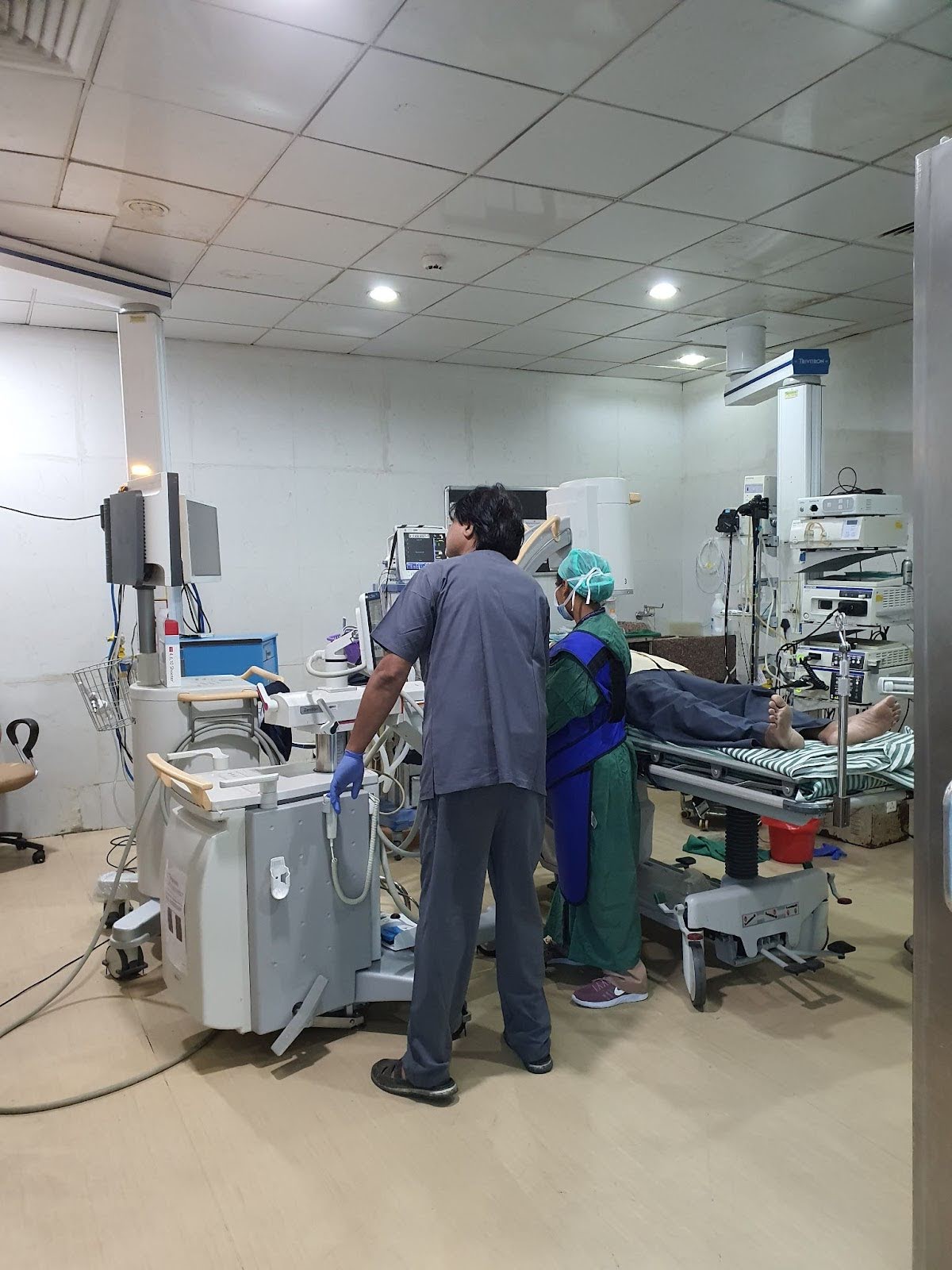
Versatille Controller will be used during Endoscopic Retrograde Cholangiopancreatography Procedure (ERCP). It a procedure to diagnose and treat problems in the liver, gallbladder, bile, ducts and pancreas, and combines X-ray and the use of an endoscope which is a long flexible lighted tube.
The procedure is conducted in the following steps:
The scope enters the mouth → throat → esophagus→ stomach→ duodenum
After the scope enters the duodenum, physicians can view the inside of the organ and check for problems. To highlight the organs and get an X-ray, they pass a tube through scope and inject a dye.
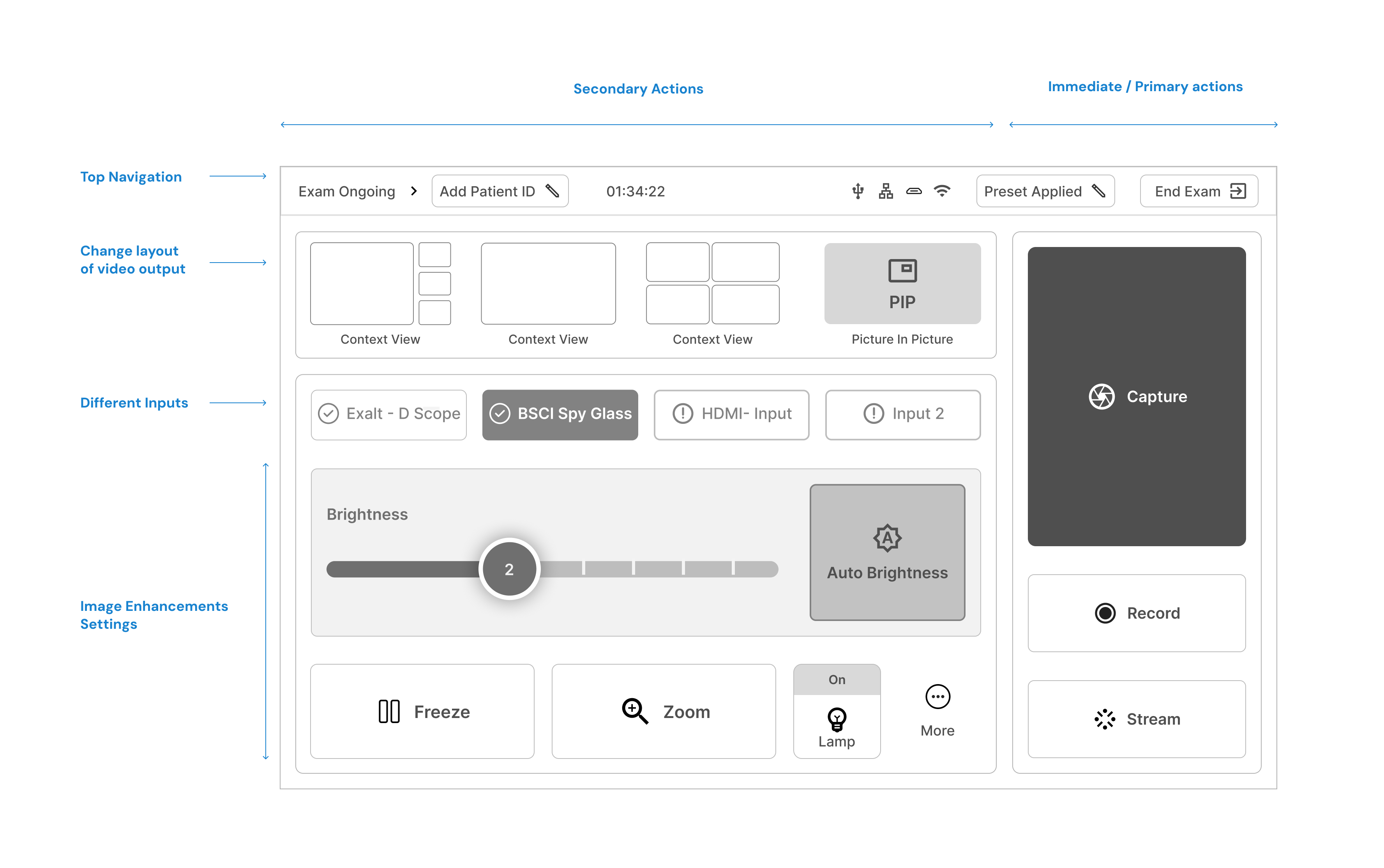
Versatille controler is a new innovation, which combines an endoscope and a spy glass in the same device. It provides the ability to change image enhancements settings, record videos, gives visibility to HCP's on which inputs are connected correctly. The US-based company currently manufactures only spy glass and wanted to expand their business.
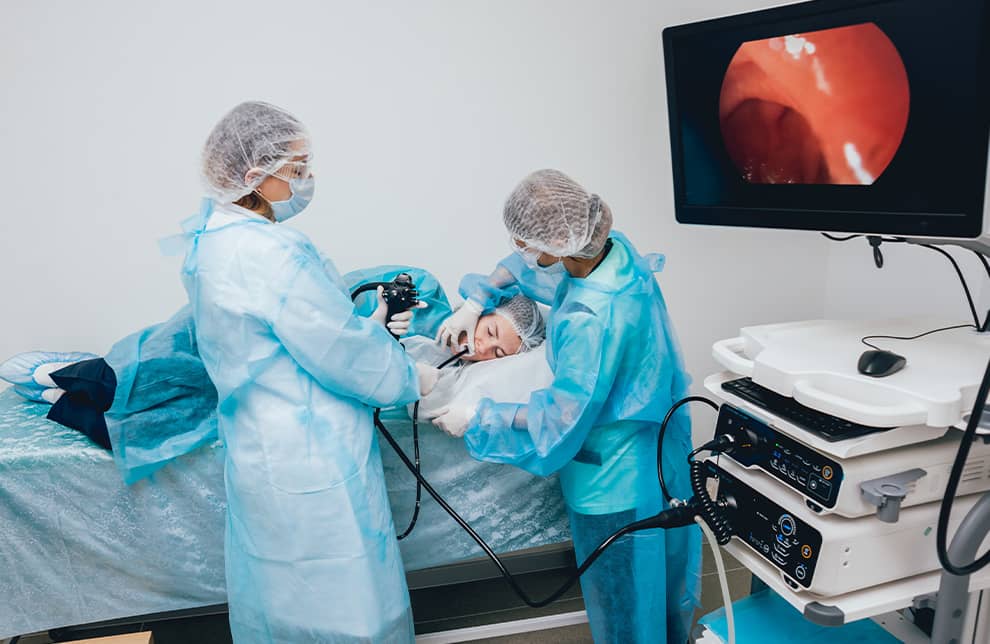
Image 1 : The surgeon is holding the endoscope and is using a controller to find a kidney stone. On the right- spy glass is placed on the endoscope and is connected.
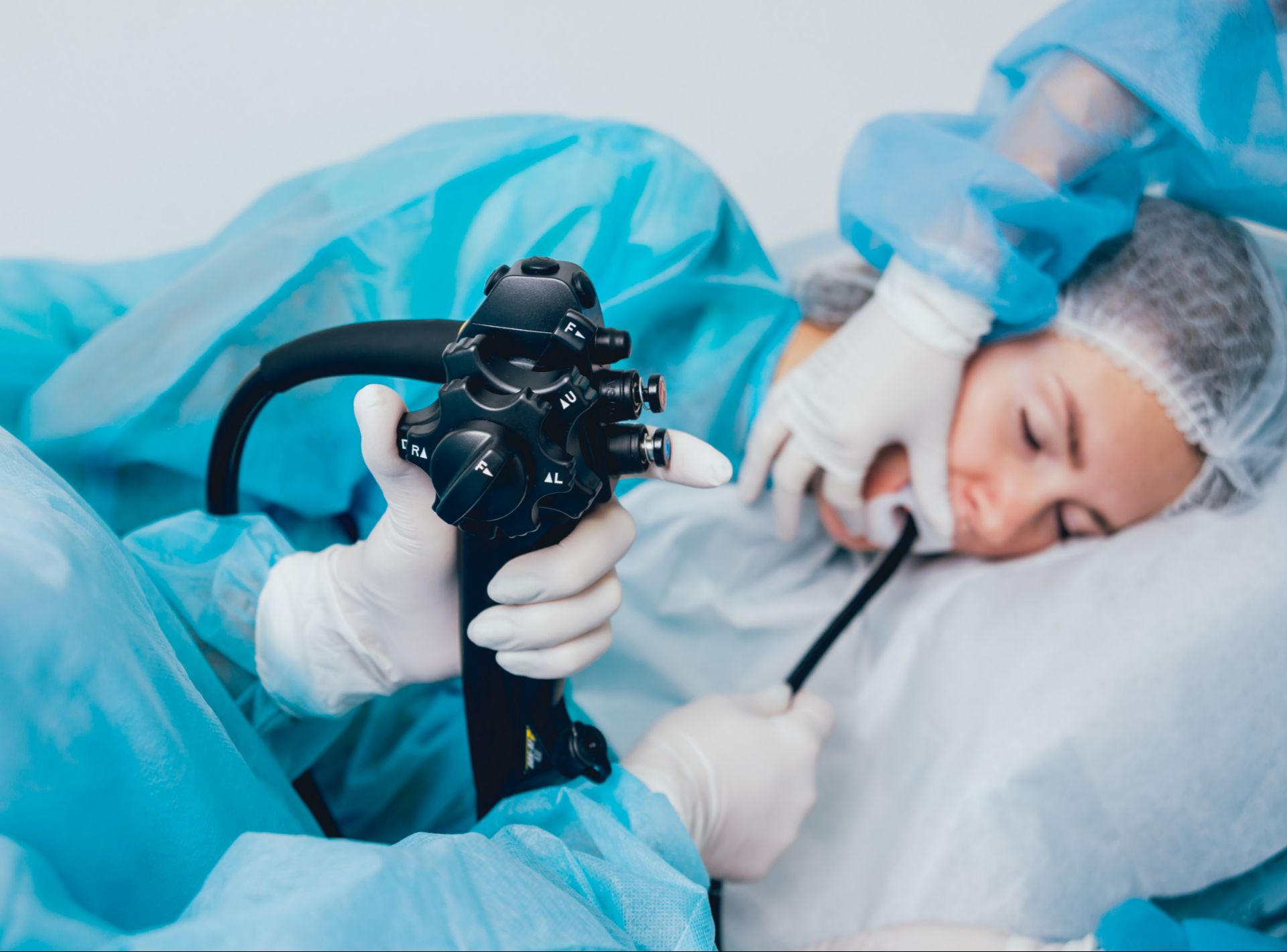
Image 2 : A close up view of the controller with different buttons to change brightness, contrast and position.
My Role in the Project
As part of a team of four product designers, I contributed to the design of onboarding, product setup and procedure flow. Additionally, I participated in requirement gathering sessions, which helped to provide a better understanding of the overall project goal.
Some of the key Challenges faced by HCPs
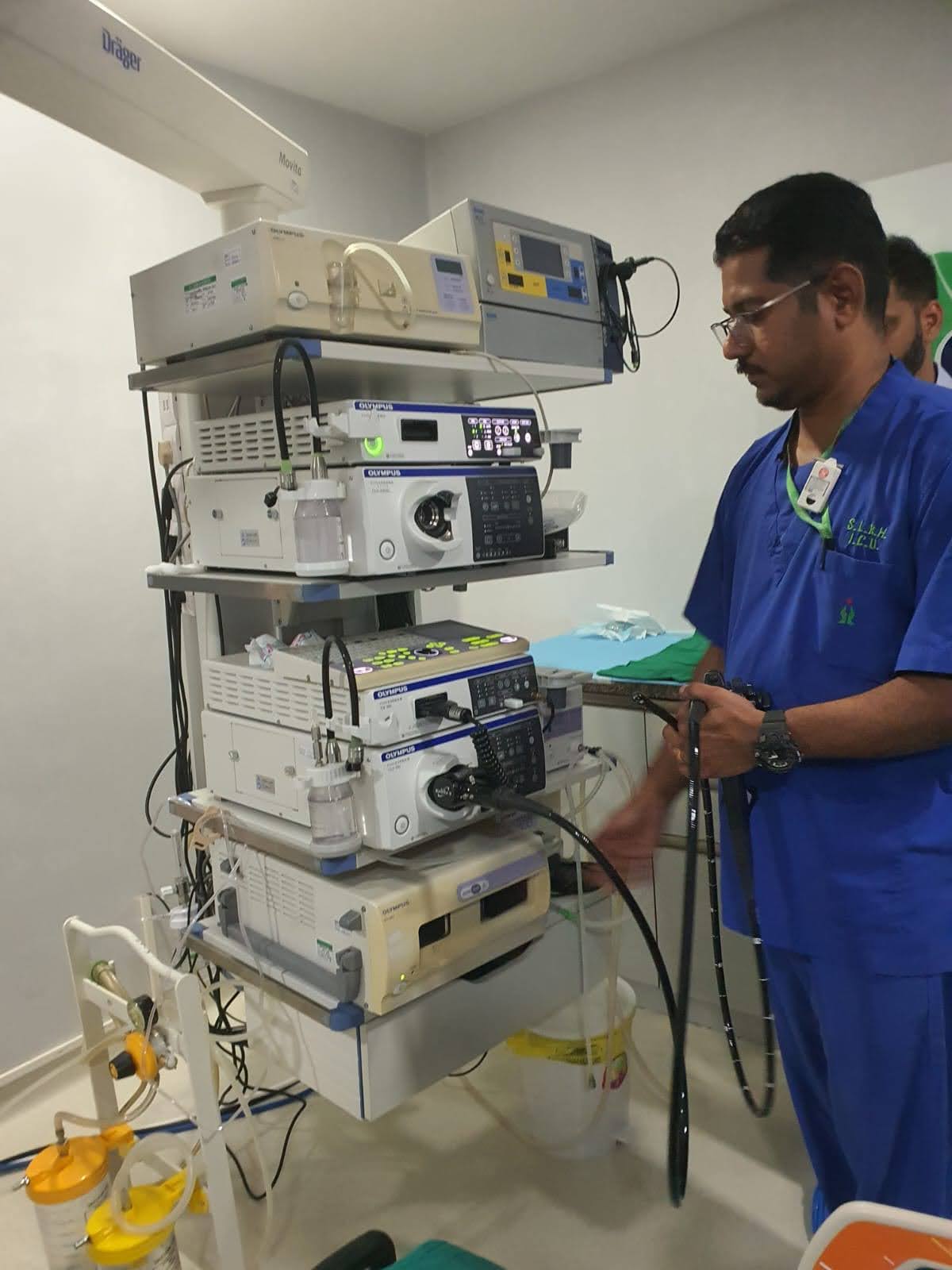
- Physicians encounter difficulties recording and capturing images during the initial & final stages of the procedure. This leads to a workaround where doctors resort to use their phones for image documentation.
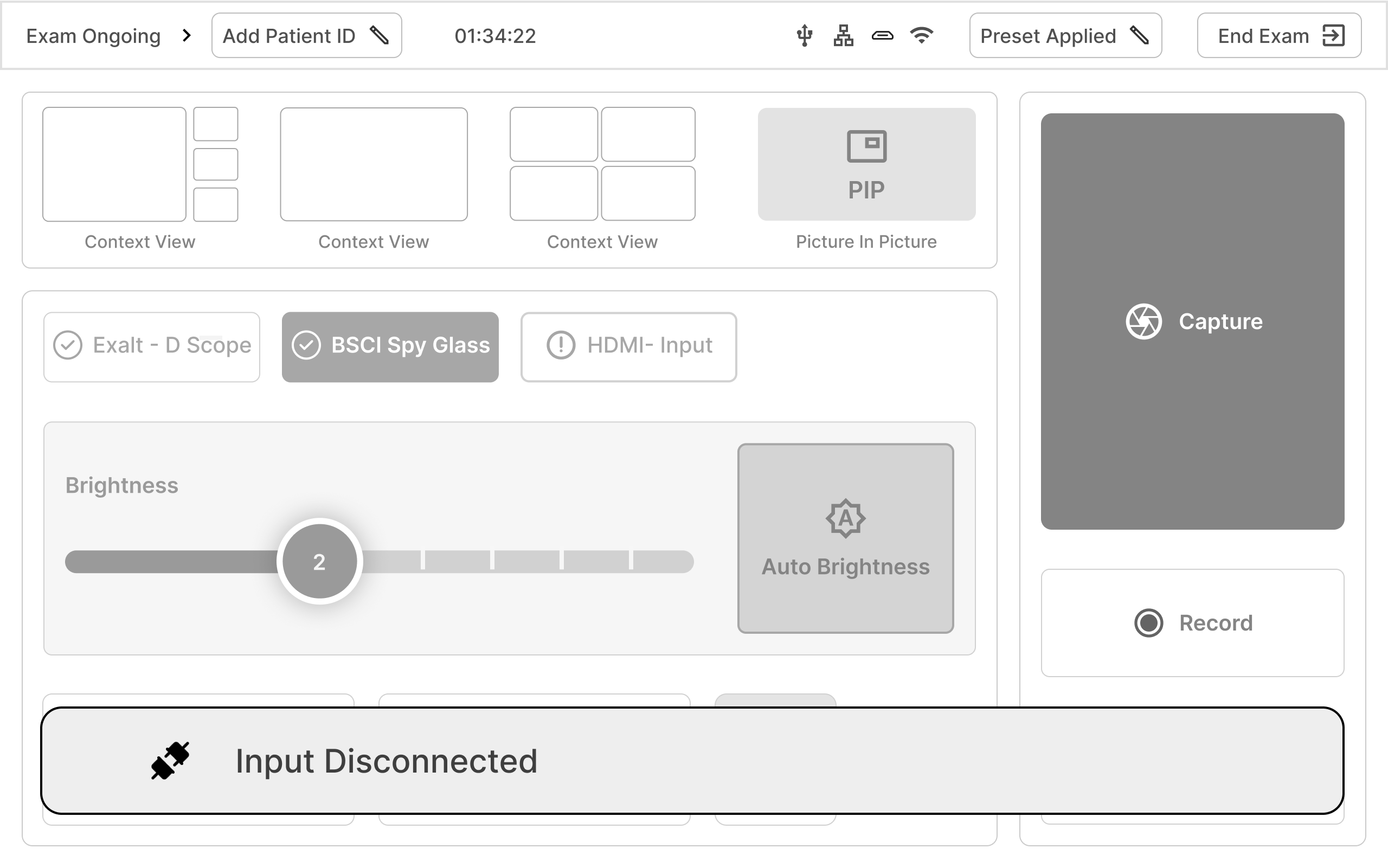
- They also lack upfront information about which hardware has been successfully connected. This creates a challenge in maintaining procedural efficiency.
- Existing products in the market feature small touch areas , which hinder with seamless interactions during procedures for nurses and doctors.
- Many products in the market are positioned at a 90-degree angle, This posses a challenge for healthcare professionals to interact with them while standing.
Prioritising & Refining Insights
Based on the research conducted by Design, Product Management, Research & Development teams a need prioritisation document was created. All needs and enhancements were rated on a scale of 1-5 with 5 being the most important. Next, common needs highlighted by these teams were considered important and final needs were formulated.
Important Features and Enhancements -
- Adjusting image enhancement settings with ease
- Intuitive touch screen for effortless operation
- Secure and robust hardware connections
- Ensuring device protection
- Streamlined recording procedures
- Efficient management of patient data
- Emphasis on hygiene and personal safety
Final Concept
The information architecture is divided into four parts, home, exam mode, procedures & settings.
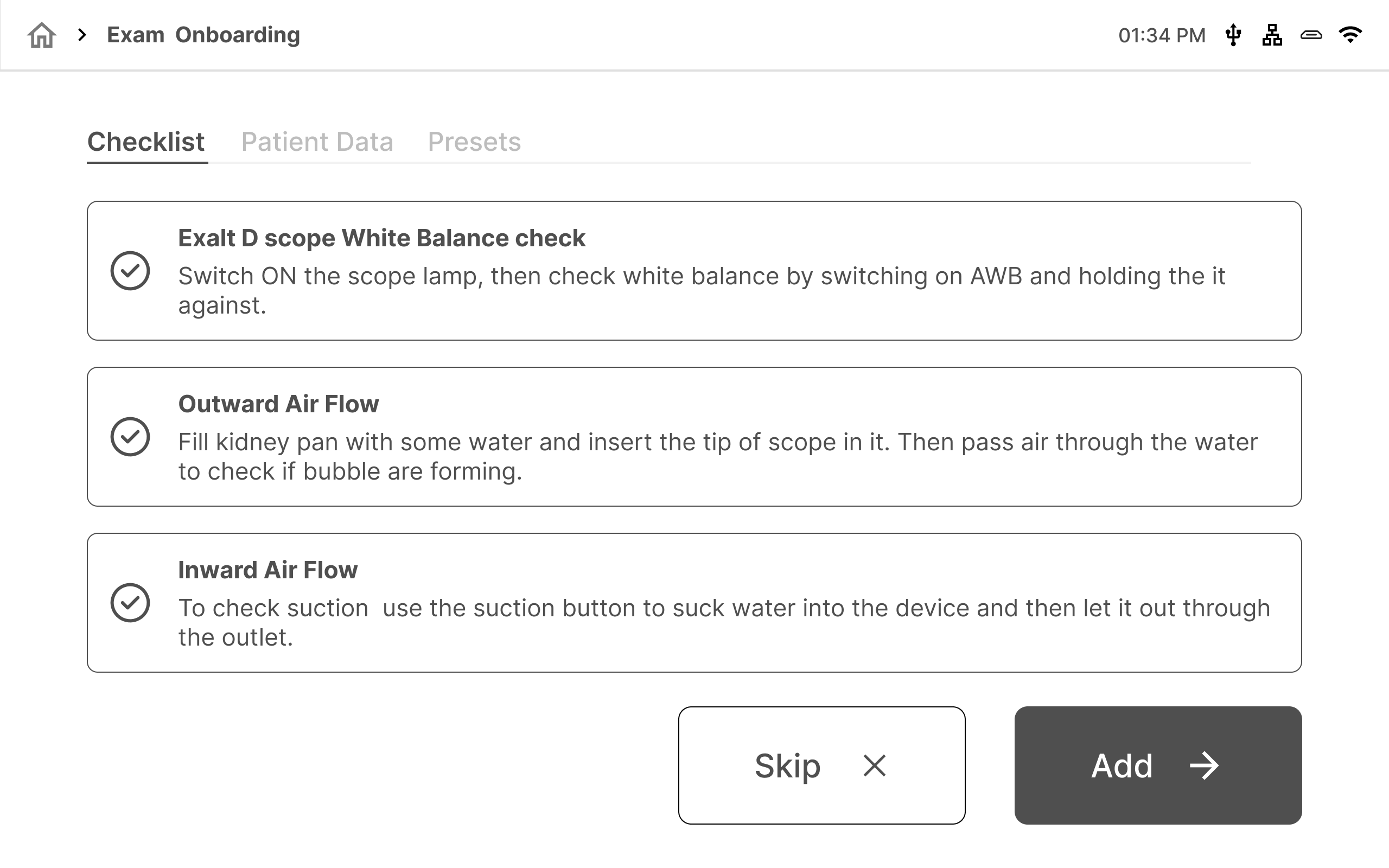
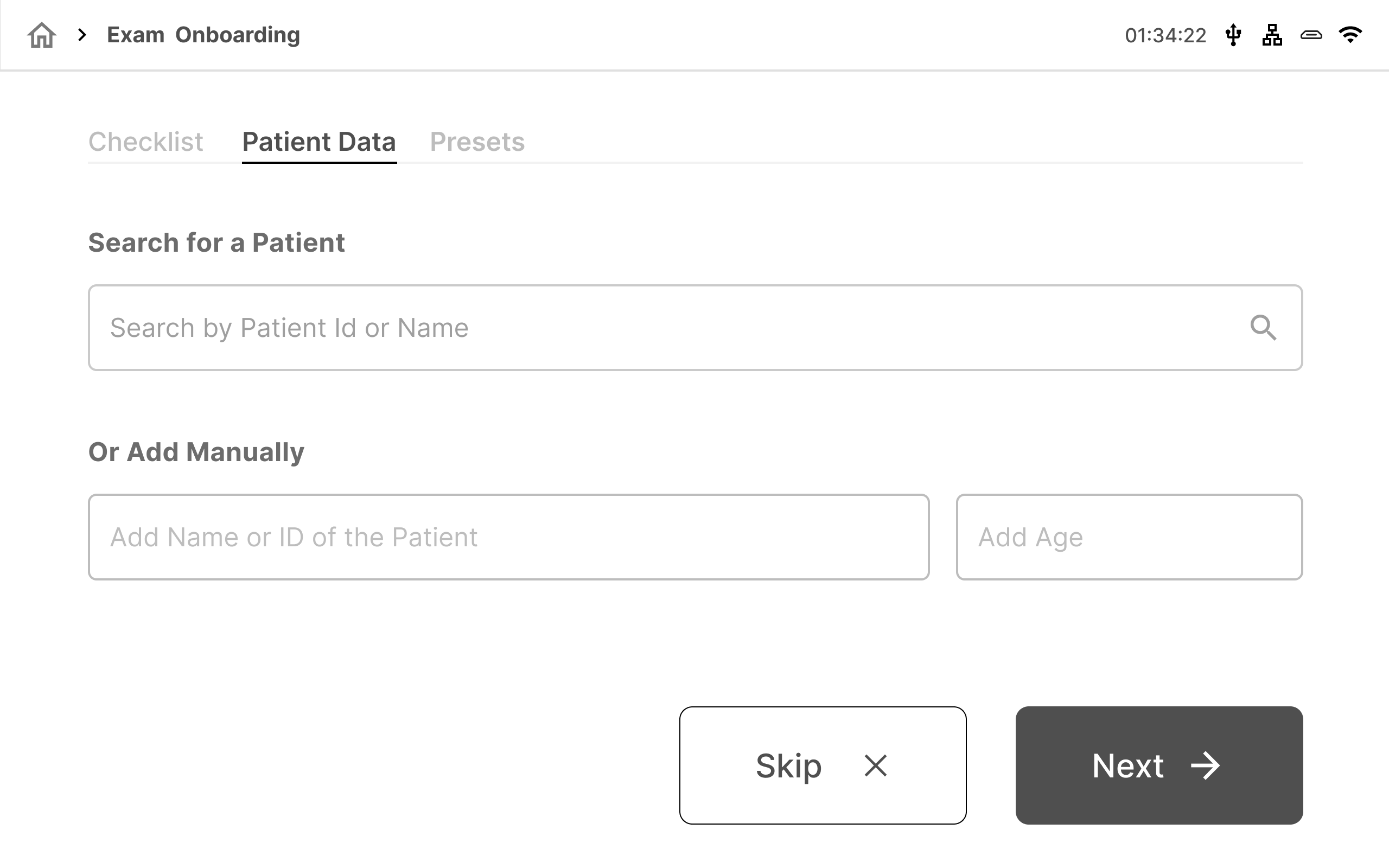
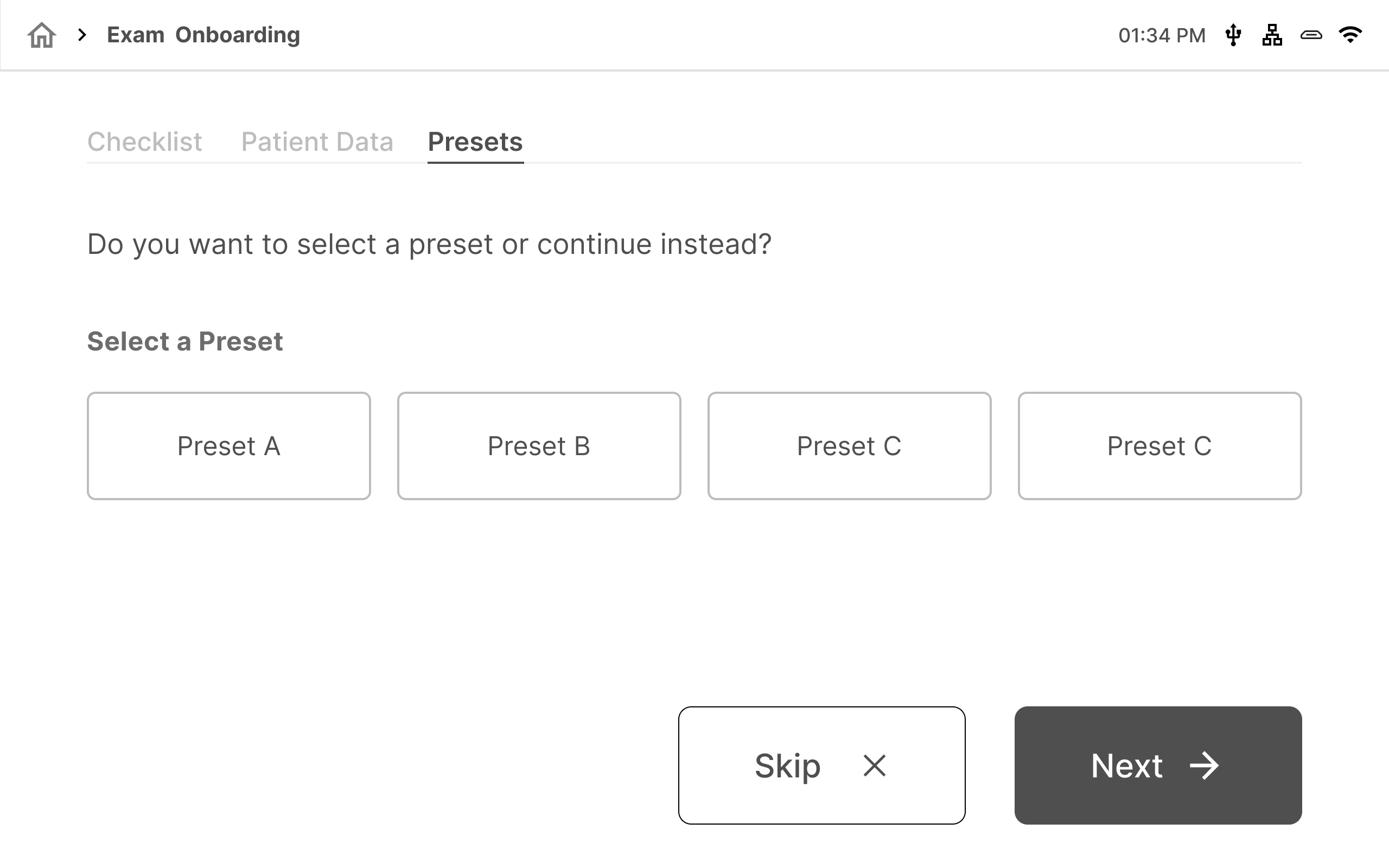
The exam mode is further divided into three logical groupings, in which the technician first checks whether all connections are connected, adds in patients data and then selects a preset of the specific doctor.
A. Exam Onboarding
Checkpoints before starting a ERCP procedure which will be set up by a technician before the surgeon enters the room.
B. Adding Patient Data
C. Selecting Doctor presets. These presets are usually set based on different preferences of different doctors while configuring the device.
Wireframe Structures
1. Exam Mode
2. Exam Mode- Upfront information if inputs are disconnected.
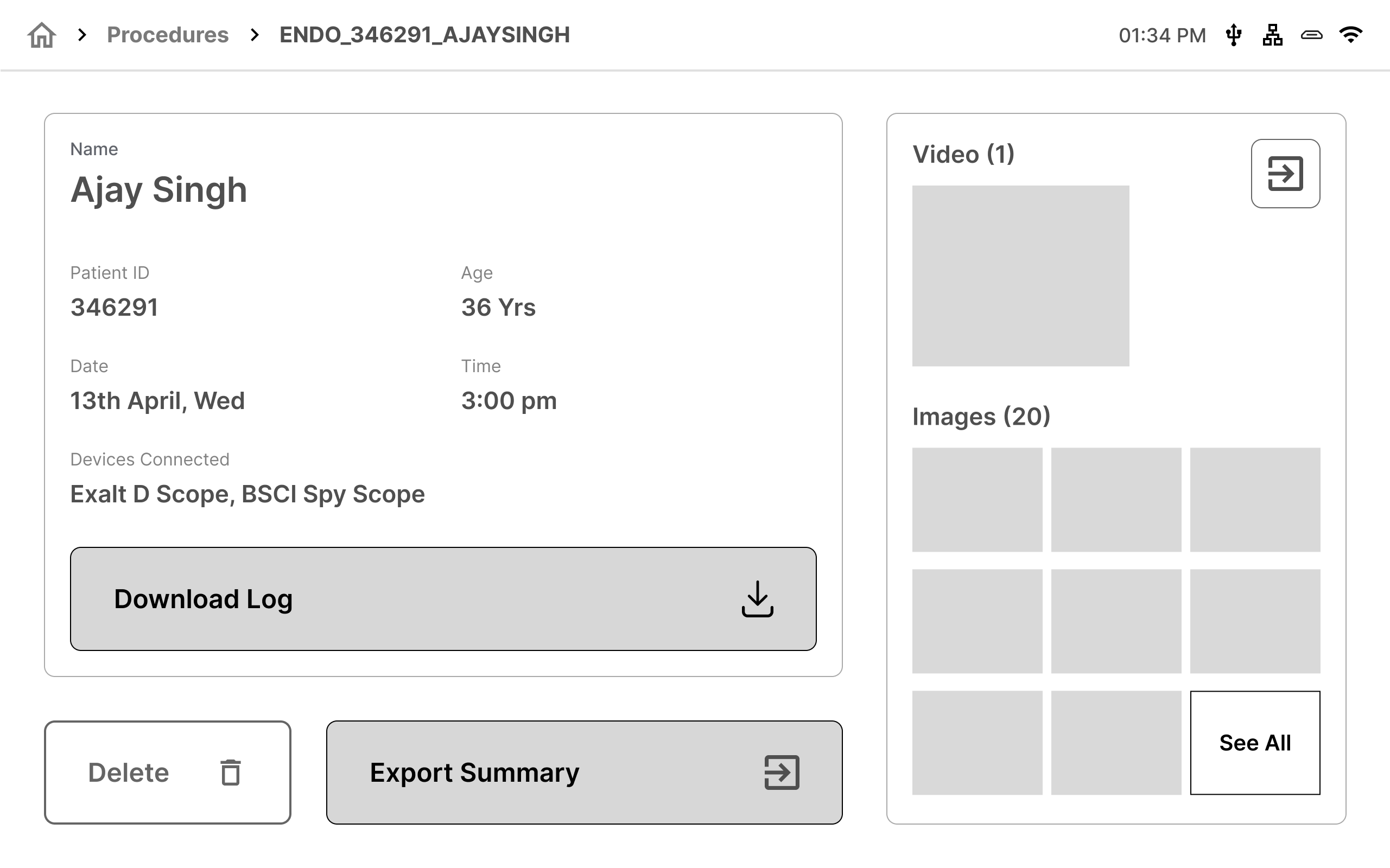
3. Procedure Sumary post completion
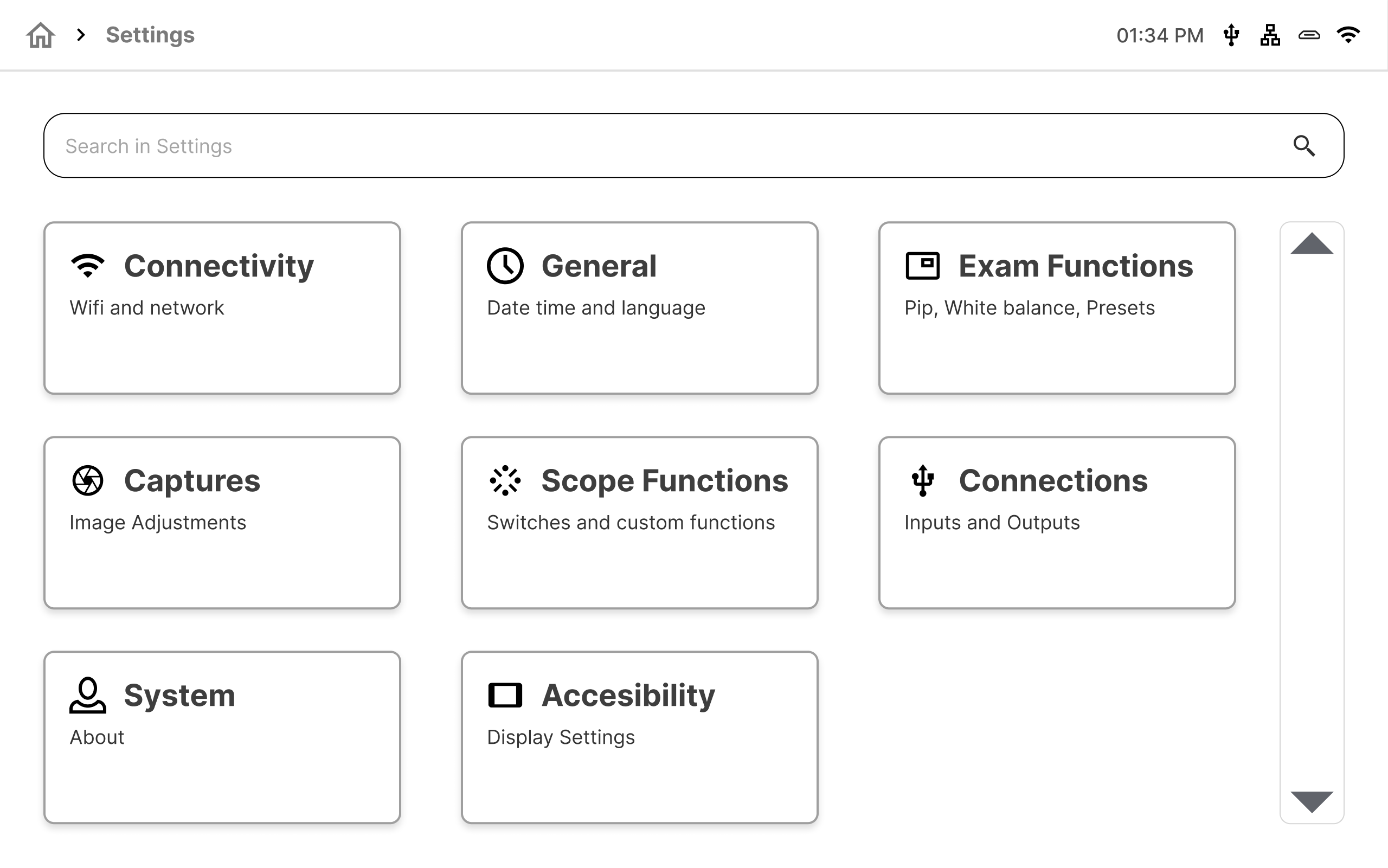
4. Device or Program Settings
Results and takeaways
This project started as a research and redesign exercise. There was a lot of ambiguity throughout our association with BSCI and the iterative process taught me alot of skills. This project pushed me to think critically and understand mental models deeply. Additionally, we received positive feedback from users about the simplified exam onboarding and product setup process.
Some key takeaways from this project are:
- Testing low-fidelity concepts early.
- Trusting the process and brainstorming with different types of stakeholders.
- Doing a thorough secondary research and familiarising with domain constraints.
- Understanding the importance of color psychology and utilising it properly for low lit environments.
Ashlesha Hadkar
Product & UX Designer
ashleshamh@gmail.com →
© Ashlesha Hadkar, 2022